

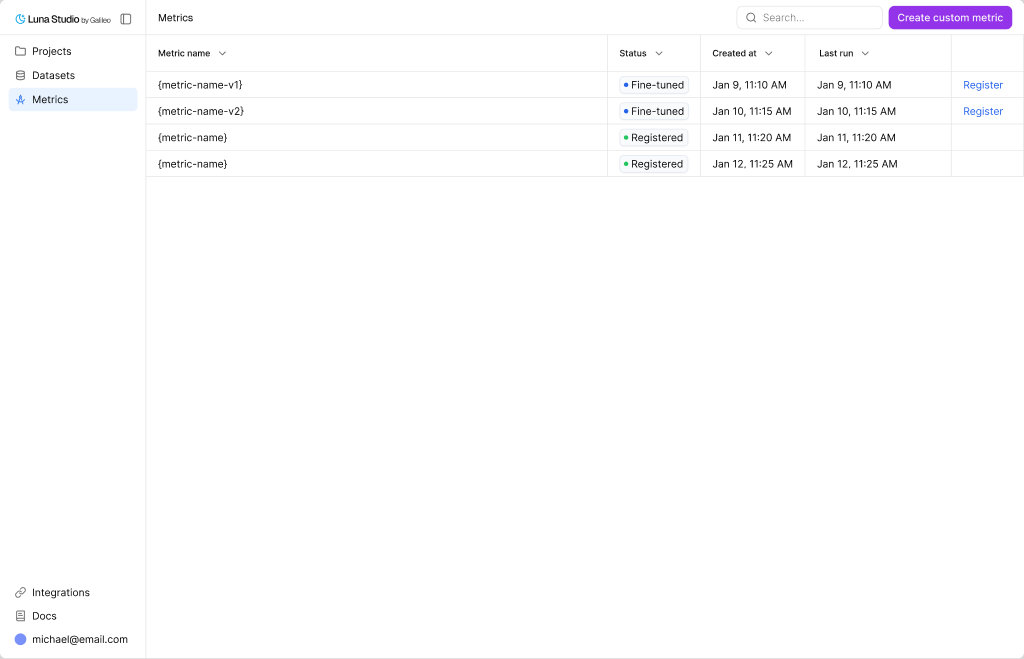
Metrics page listing every metric with its status, source run, and last update
Metrics table
The table has these columns:Top-bar actions
- Search — filter the table by metric name.
Where metrics come from
Metrics in Luna Studio come from two places:- Training runs. Every run produces exactly one metric. After Step 1 of the run creation flow, the metric is implicitly created and tracks the run’s status.
- Metric definitions. Runs can start from Galileo presets, custom Galileo metrics, saved custom prompts, or a custom prompt written in Step 1.
Register a metric
Once a metric reaches Fine-tuned, the Register metric action appears in the row’s Actions cell. Clicking it opens the same modal documented in Register a metric.Lifecycle
Metrics share the same five-state lifecycle as runs:- Queued → Training → Fine-tuned → Registered
- (or Failed at any point)
Where to go next
Custom metrics
Define a custom prompt inside the run creation flow.
Run lifecycle
The five statuses runs and metrics flow through.
Register a metric
Publish a Fine-tuned metric to the Galileo metrics store.
Creating a new run
Launch a training run that produces a metric.